I’ve never owned a Mac; having grown up on DOS and .NET, it’s always felt like an ‘exotic’ system to me. Yet, never say never! In a way, AI has shifted the hardware and software landscape, demanding higher performance for anyone wanting to run LLMs locally.
I won’t bore you with debates on how Silicon processors outperform the competition or how strange it feels to work a full day on battery alone 😃 just a few tips for an efficient setup for a BC developer.
Visual Studio Code
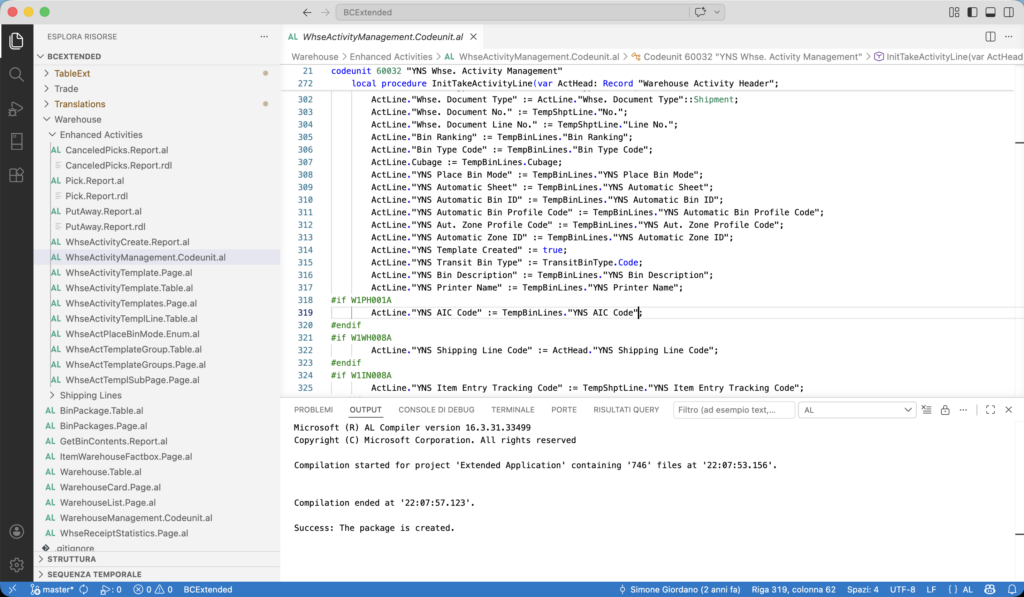
Microsoft has done a great job with Visual Studio Code, and the development environment runs perfectly on Mac. Almost all extensions are available, including the one for Business Central. There’s just one small catch: the extension still relies on code compiled exclusively for x64, making compilation seem impossible at first.
To the rescue comes Rosetta, Apple’s stack that converts x86/x64 instructions for ARM 😅 very similar to Prism on Windows for ARM.
In 2020 Apple announced the transition from Mac computers with Intel processors to Mac computers with Apple silicon. Rosetta was designed to ease this transition by automatically translating Intel-based apps for use with Apple silicon. This has given users and app developers more time to update their apps for Apple silicon.
Rosetta is currently available for any Mac with Apple silicon, and it will remain available through the forthcoming macOS 27 — the next major macOS release. Starting with computers using macOS 28, Rosetta functionality will be available only for certain older, unmaintained games that rely on Intel-based frameworks. Find out which macOS you’re using.
For optimal performance and future compatibility, you should update your Intel-based apps, plug-ins, extensions, and other add-ons for Apple silicon.
What will happen with the next version of macOS? Who knows 🥶 but in the meantime, let’s see how to install Rosetta on your Mac!
/usr/sbin/softwareupdate --install-rosetta --agree-to-licenseAfter this, everything will work perfectly (at least on Visual Studio Code).
BC Application Server
As long as you’re working online, in SaaS, or on a customer’s server, this setup is more than enough. However, running BC on a Mac (including SQL Server) is no easy feat. There’s only an old version of SQL Server for ARM (Azure SQL Edge) that might work somehow, but let alone everything else needed for BC.
A good starting point is this article by Torben Leth and Stefan Maron: https://blog.sshadows.dk/2026/01/31/business-central-on-linux-here-hold-my-beer/
However, after hours of struggling with Docker, Rosetta, and Wine, I’ve accepted the idea of running a Windows 11 virtual machine on the Mac just for BC services and SQL Server. For now, it’s a defeat… but believe me, I was very close to solving it, and I’m sure that as soon as it’s possible, I won’t be the only one writing about it 💪
Windows 11 ARM runs on Silicon via emulation with performance on par with the original. I chose VMware Fusion as the emulator, primarily for the speed of suspending and resuming the virtual machine. In a way, I’ve actually gained an advantage over Windows by starting a VM with services already loaded in memory and immediately responsive.

SQL Server
SQL Server installed without any issues on ARM; however, the Management Console for network services only shows the x86 components. Consequently, it’s impossible to configure the service to listen on TCP port 1433 via the UI. You’ll need to do this through the System Registry and then restart the service.
[HKEY_LOCAL_MACHINE\SOFTWARE\Microsoft\Microsoft SQL Server\MSSQL17.MSSQLSERVER\MSSQLServer\SuperSocketNetLib\Tcp]
"Enabled"=dword:00000001
"ListenOnAllIPs"=dword:00000001

[HKEY_LOCAL_MACHINE\SOFTWARE\Microsoft\Microsoft SQL Server\MSSQL17.MSSQLSERVER\MSSQLServer\SuperSocketNetLib\Tcp\IPAll]
"TcpPort"="1433"
Reporting Services (RDL)
Finally, we come to RDL, the reporting language so hated (even by Microsoft) 😅 and yet the only serious choice for serious reports! The RDL engine is still based on the old .NET 4.5, which is why the service was isolated into a separate executable, “Microsoft.BusinessCentral.Reporting.Service.exe” some time ago.
There is a very interesting port of RDL to .NET Core, but it requires Wine (for example, to correctly calculate font dimensions): https://github.com/lkosson/reportviewercore
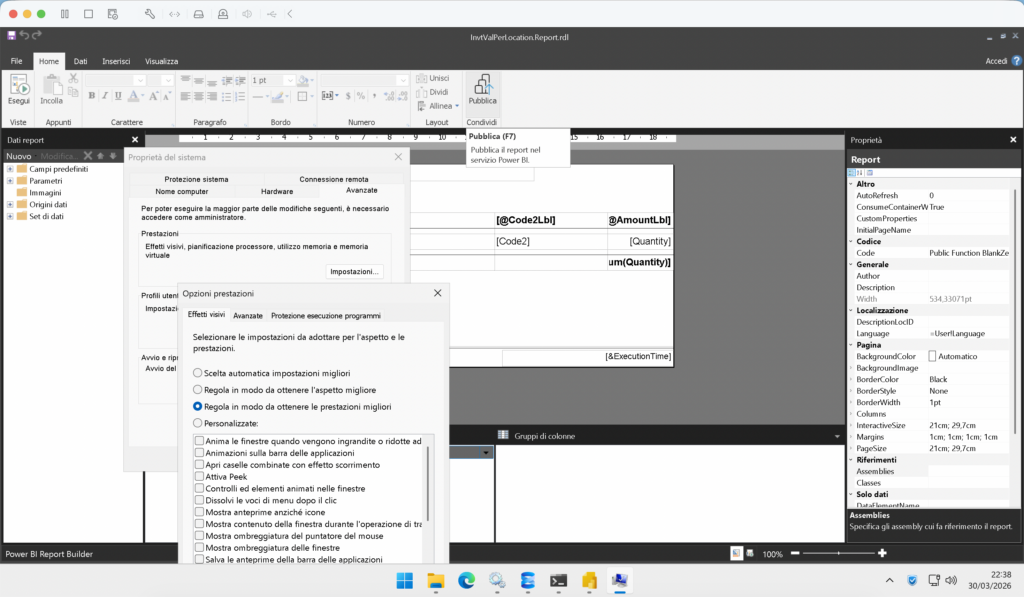
However, with a Windows VM available, it becomes quite fast to open the report editor within the VM, perhaps disabling some Aero visual effects to save as much battery as possible.
Conclusion
It took me a few days to set up a Mac that gave me the same speed and efficiency I had on Windows. A few more days to get used to the new function keys. Hours and hours spent thinking about how vital it is for software to be multi-platform. But in the end, yes, it’s possible to remain (or become) a great BC developer even behind a Mac! 😃