I recently heard some news that left me feeling equal parts excited and annoyed. It’s a “technical innovation” announced for the upcoming Business Central version 29 (the second wave of the 2026 release). Why am I annoyed? Because if going back in time seven years is being marketed as “new” then I fear the general AI hype might have caused us to lose touch with reality.
Let’s take a little trip down memory lane.
2019 – Business Central 14
This was the first version of Business Central used widely to migrate customers from NAV (whose last version was 2018 or V11). At the time, the environment was a hybrid: it allowed you to run old C/AL code (the “classic” development environment was still around) alongside the new AL code (via one or more APPs).
Interoperability between AL and C/AL only went one way: the APPs could see the “classic” codebase, but not vice versa.
Back then, BC SaaS as we know it didn’t exist; everything was On-Premises. We were working with SQL databases every single day, and we immediately noticed a massive proliferation of tables, one for every single APP.
Take the “Item” table. It existed with just the standard fields in the usual [Company$Item] format. But, if an APP extended it with a new field, suddenly you had [Company$Item$GUIDAPP01...] appearing. If another APP added a field, boom: [Company$ITEM$GUIDAPP02...]. An average installation with a dozen APPs meant managing dozens of JOINs across different tables.
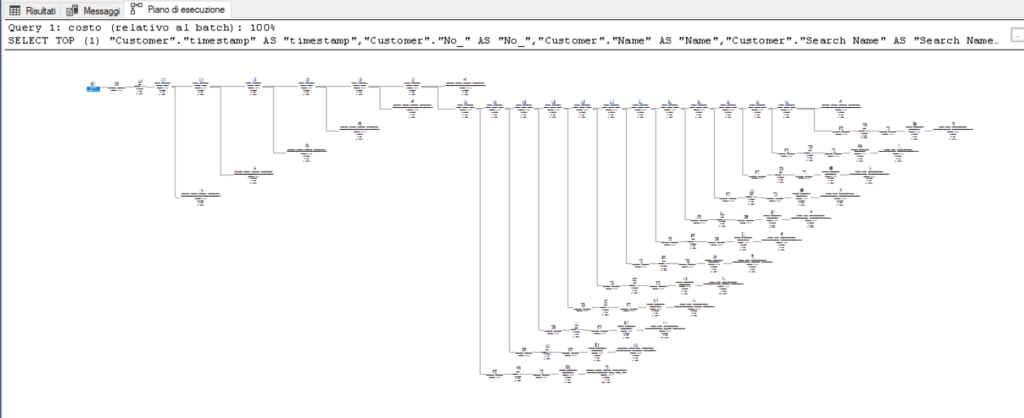
This choice made zero sense. It killed SELECT and INSERT times. It caused exponential slowdowns for customers with large databases. Years of efforts spent optimizing SQL performance were essentially thrown out the window. Because, let’s be honest, everyone knows relational databases are based on tables! 😅 And it’s on those tables that indices live, one or two extra JOINs, and your execution plan goes out the window.
2023 – Business Central 23
After four years of slowdowns, that unfortunate technical choice was finally revisited, partly because the shift toward SaaS meant these performance issues were hitting Microsoft’s own servers.
The move went from “a different table for every APP” to “one single table for all APPs”, known as the “Companion Table”. It didn’t solve the problem, but it mitigated it: one less JOIN, one less double loop for INSERT or MODIFY.
Performance went back up, but index limits remained a headache. Developers started hacking together solutions, like cloning key fields within their own APP just so they could index them. I even remember an MSDN article suggesting we avoid TableExtensions entirely in favor of a single key-value table to retrieve extended fields via FlowFields. Absolute madness.
And so, we stayed there, with a product that has evolved tremendously but, in certain scenarios, is still much slower than “old NAV”.
2026 – Business Central 29
Enter the “innovation” announced during last June’s BC Tech Days.

Full slides here: https://mibuso.com/downloads/presentations-of-bc-techdays-2026
Finally, we’re going back to a single table. Hallelujah! But what was the point of all this? Presenting a “new feature” doesn’t absolve you of making a mistake. For better or worse, ERPs are “traditional” products; they are “slow” by nature and shouldn’t necessarily chase every trend. Every change should be carefully weighed, because the cost is ultimately passed down to the users and the Partners who have to support them.
I’m an enthusiast for new tech, but there’s a massive difference between changing to improve and changing to get worse.
By the way: what’s going to happen to those installations that hit the 8K SQL record limit thanks to the “companion table”? https://github.com/microsoft/AL/issues/1777#issuecomment-379011180 😁
Conclusion
History tells a story of a wrong decision that nobody wanted to reconsider for seven years. It makes me think about the role of the Solution Architect in this era, where more code is being written by AI than by humans. If the Architect is weak, any SLOP generated by an AI will go straight into production in the name of “time-to-market.” Architectural debt is something you only discover after years of pain.
Look at these examples:

Does it really make sense to put the chemical component to be accounted for in a column? What if tomorrow we need to track SO2 too? Do we add another column?

Or what about the fact that APPs are activated via a flag in the Application Server configuration file?